
How to Match a Replacement Laptop Charger: Voltage, Amps, Watts and DC Tip
Written by engineers at the Daxpoo factory, Shenzhen · · 4 min read
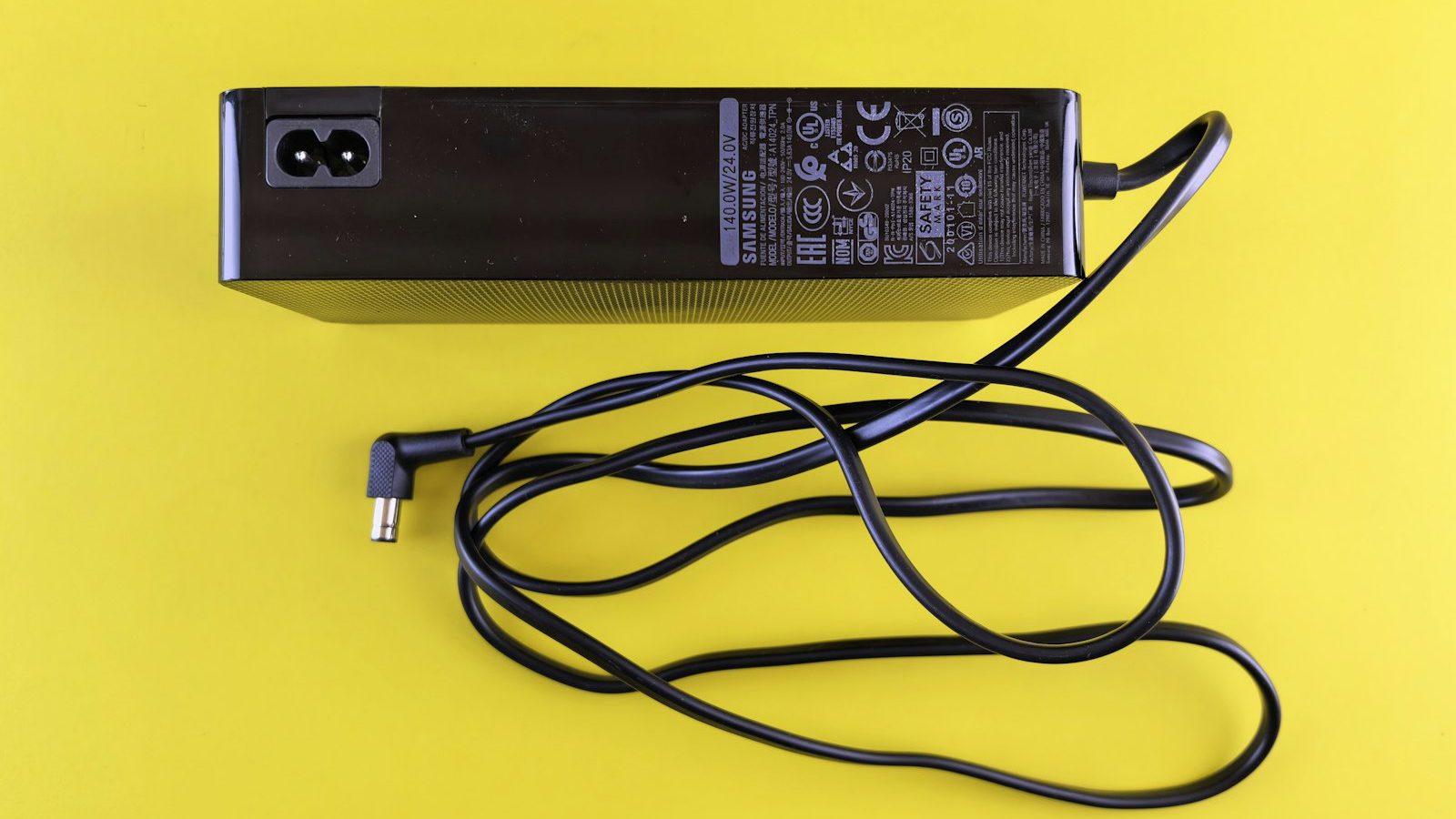
Matching a replacement laptop charger is easy once you know the four things to check. Getting one of them wrong ranges from annoying (the laptop will not charge) to harmful (overheating or a damaged charging circuit). This guide is for repair shops, retailers and buyers who handle many laptop models.
Step 1: Read the original charger’s label
The rating label on the original charger, or the input label on the bottom of the laptop, tells you what you need. Look for the OUTPUT line, for example:
OUTPUT: 19.5V ⎓ 3.33A 65W
That gives you voltage, current and power. The label also shows the polarity symbol, which almost always indicates a positive centre pin on laptop chargers.
Step 2: Match the voltage
Voltage must match the original. A small difference such as 19V instead of 19.5V usually works, which we explain in our 19V vs 19.5V article. Larger differences risk damage or failure to charge.
Step 3: Match or exceed current and wattage
The current (amps) and wattage of the replacement should be equal to or higher than the original. A laptop only draws what it needs, so a 90W charger can safely power a laptop that came with 65W, provided voltage and connector match. A lower-wattage charger may charge slowly, fail under heavy load or overheat.
Step 4: Match the DC tip and polarity
The connector is where most mistakes happen. Common tips by brand include:
| Brand | Common tips |
|---|---|
| HP | 7.4×5.0mm with centre pin, 4.5×3.0mm with centre pin, USB-C on newer models |
| Dell | 7.4×5.0mm with centre pin, 4.5×3.0mm with centre pin, USB-C on newer models |
| Lenovo | Rectangular “slim tip”, 5.5×2.5mm and 7.9×5.5mm on older models, USB-C |
| ASUS | 4.0×1.35mm, 5.5×2.5mm, 4.5×3.0mm, USB-C |
| Acer | 5.5×1.7mm, 3.0×1.1mm, USB-C |
| Toshiba | 5.5×2.5mm |
| Apple | MagSafe 1 and 2, MagSafe 3, USB-C |
HP and Dell tips with a centre pin carry an ID signal. A charger without the correct ID circuit may power the laptop but refuse to charge the battery, or trigger a warning. Buy brand-compatible chargers with the ID function for these models.
USB-C laptops
For laptops that charge over USB-C, the rules are different. The charger and laptop negotiate voltage through USB Power Delivery. What matters is the charger’s wattage and PD support. Since the EU common charger rules began covering laptops in April 2026, most new laptops sold in Europe charge this way. See our USB-C PD and GaN chargers.
Universal chargers: when they make sense
Universal chargers with interchangeable tips are useful for repair shops and travellers. They are a compromise: more tips mean more ways to pick the wrong one. For retail, brand-specific chargers with the right tip fitted reduce returns. We compare both in laptop vs universal chargers.
Quick checklist
- Same voltage as the original
- Equal or higher amps and watts
- Correct tip size, measured with calipers
- Centre-positive polarity
- ID pin support for HP and Dell
- CE, FCC and RoHS certification
Troubleshooting: the charger fits but the laptop will not charge
- “Plugged in, not charging” on HP or Dell: usually a missing or faulty ID signal. Use a charger with the correct ID circuit for that brand.
- Charges when off, not when on: the replacement charger’s wattage is too low for the laptop under load.
- Intermittent charging: worn DC jack in the laptop or a damaged cable. Check the tip and the socket.
- Charger gets very hot: wattage too low, poor ventilation, or a faulty unit. Stop using it.
- USB-C laptop charges slowly: charger below the laptop’s rated wattage, or a cable not rated for the current.
Safety checks for replacement chargers
Low-cost replacement chargers are one of the most counterfeited electronic products. Before you sell or use one, check:
- Weight: a charger that feels unusually light often has a small transformer and little heat sinking.
- Label: complete rating, manufacturer or importer details, CE or FCC marks and the efficiency marking.
- Cable: thick enough for the current, with strain relief at both ends.
- Smell and finish: no strong plastic odour, no gaps in the housing seams.
For retailers and repair chains, buying from a manufacturer that tests and burns in every unit is the simplest way to avoid these problems.
Managing a replacement charger range
A few hundred SKUs can cover most laptops in circulation if you organise by rating and tip rather than by laptop model. Start with your top 20 laptop families by repair volume, map each to its rating and tip, and you will find many share the same charger. Our sales engineers can help map a model list to the smallest set of SKUs.
Find the right model in our catalogue
Our product finder lets you search 4,000+ models, including 1,500+ replacement laptop chargers, by voltage, current, brand and DC tip. Browse by brand: HP, Dell, Lenovo, ASUS, Acer. For volume orders, send your model list through the quote form.
Frequently asked questions
Can I use a laptop charger with higher amps?
Yes. The laptop only draws the current it needs, so a charger rated for more amps or watts than the original is fine as long as the voltage and connector match.
Can I use a charger with a slightly different voltage?
Small differences such as 19V versus 19.5V are usually tolerated, but larger differences are not. Always aim to match the original voltage.
How do I measure a DC tip?
Measure the outer diameter of the barrel and the inner diameter of the hole, for example 5.5×2.5mm. Use calipers if you can, because 2.1mm and 2.5mm pins look almost the same.